Digital vehicle inspection at AutoLeap: 18 steps to 12
I led the design of the digital vehicle inspection (DVI) workflow and cut the photo-upload flow from 18 steps to 12. The AI-powered DVI upsell grew average contract value 20%.
What those numbers mean A technician photographing a car had to walk through 18 steps. Now it is 12. Shops on the upgraded plan pay more for it, which is where the 20% bigger average contract comes from.
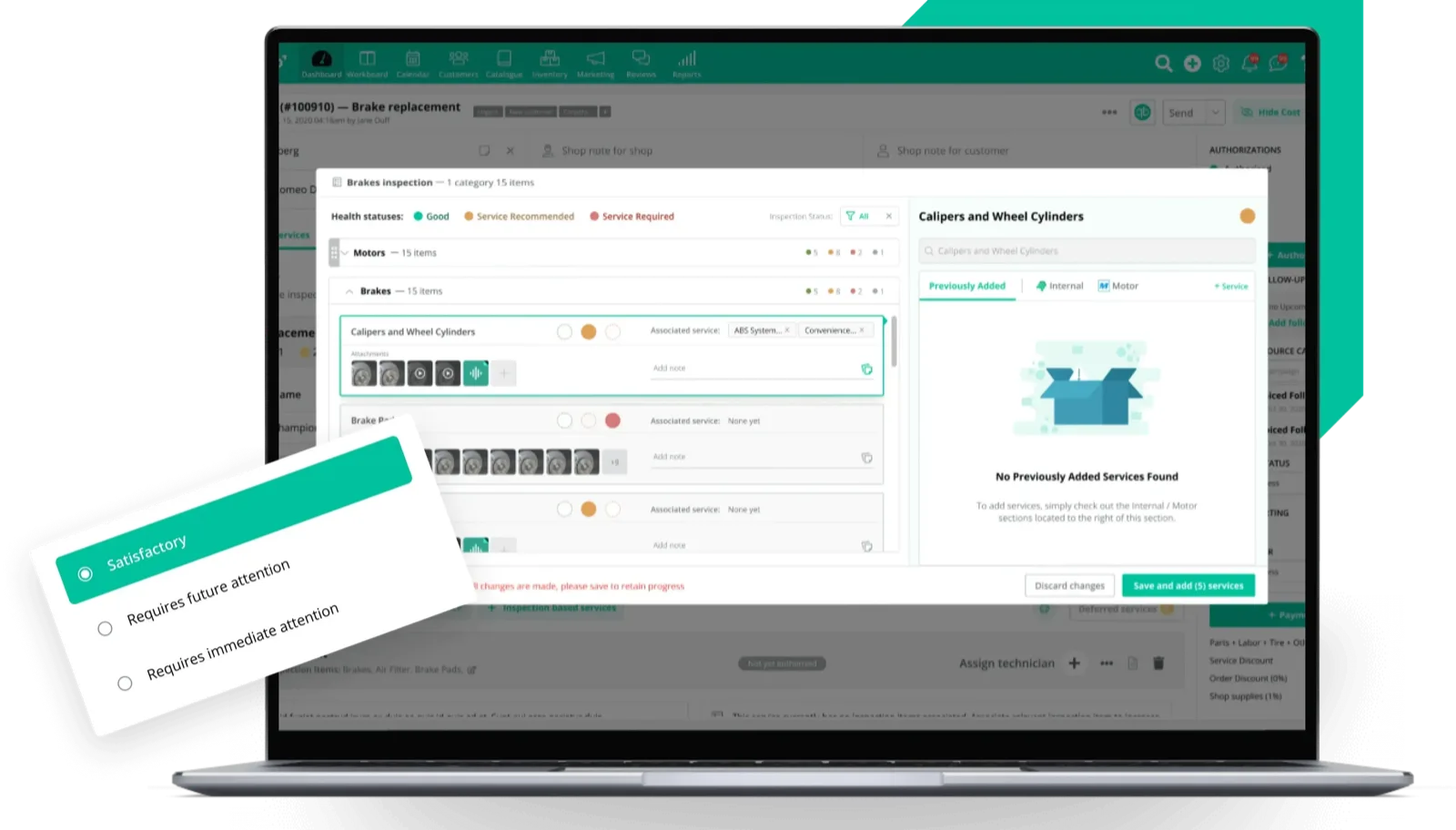
Cloud-based auto repair shop management
Cloud-based shop management software for auto repair shops across North America. I led the design of the digital vehicle inspection (DVI) workflow and cut the photo-upload flow from 18 steps to 12. The AI-powered DVI upsell grew average contract value 20%.
Improving the workflow for adding photos to DVI
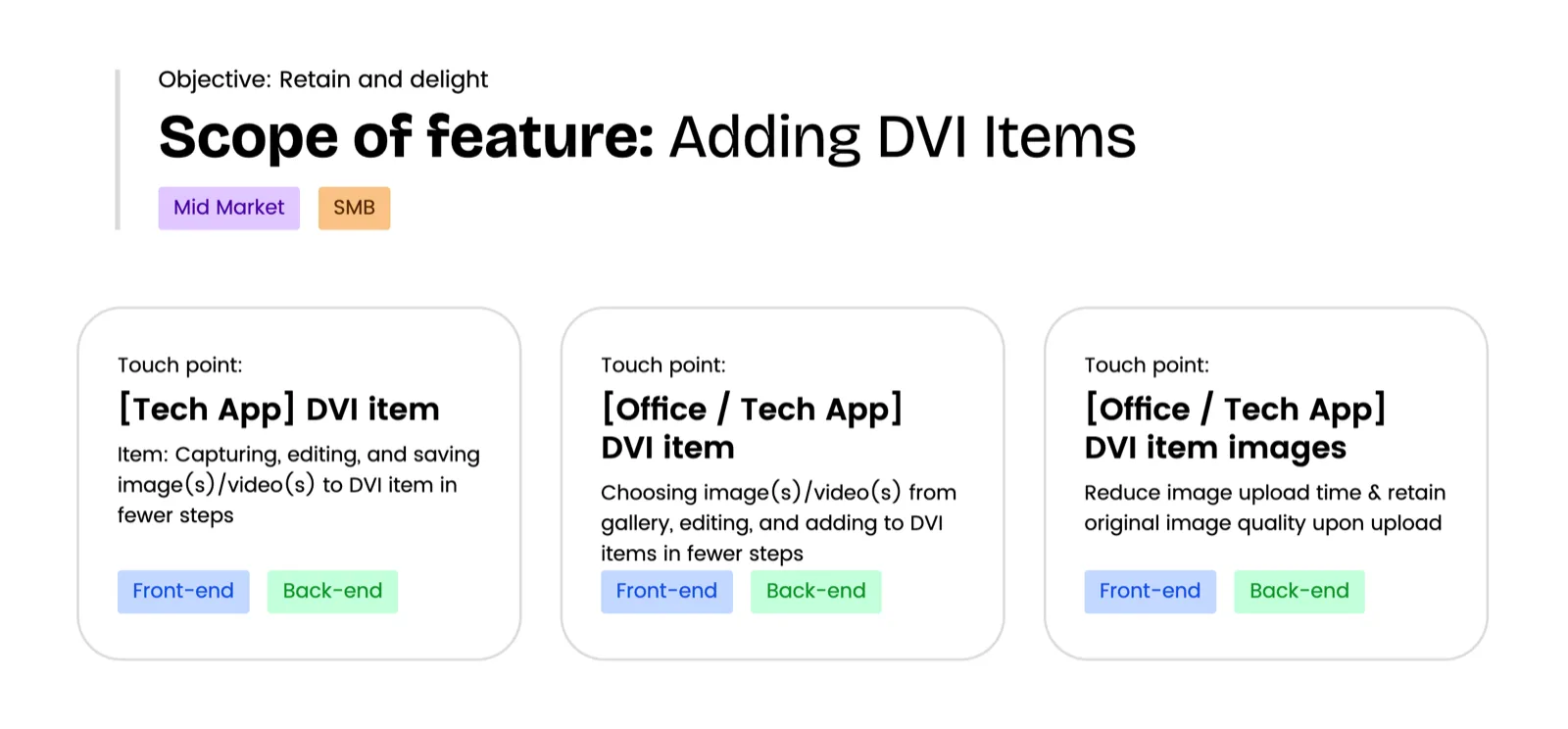
Simplified image management: capture, edit (annotate, add notes), and upload multiple photos to an inspection item in a few steps. Current: 8 steps for 1 image, 8+7n for 1+n images (without annotations). Bulk image and video selection: choose multiple images and videos from your gallery all at once, then upload them to an inspection item. Ongoing performance improvements (work in progress, requires engineering R&D): ensure images upload faster while retaining their original resolution and quality.
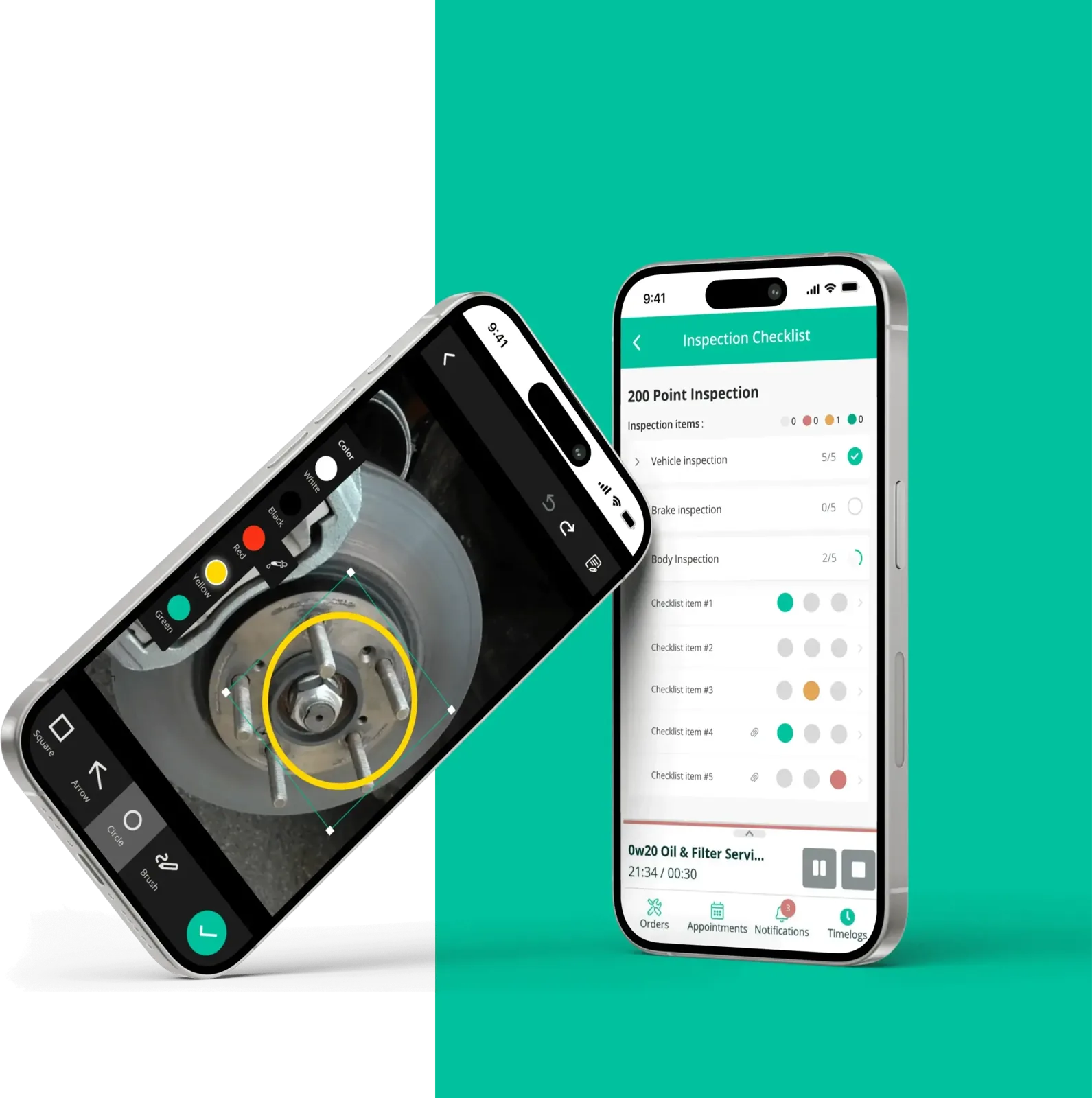
Technical problem: simplifying image management
As a tech user, I want to add image(s) to an inspection item and annotate them in fewer steps, so adding annotated images takes less time.
Right now, without annotations, it's an 8-click process in AL. WhatsApp does the same thing in 2-3 clicks. There's also a concern: images captured for work through AL can end up stored on the user's personal phone. That adds friction to the workflow and raises privacy concerns.
Office user problem: image quality and experience
When uploading multiple images from memory or gallery to an inspection item, being able to select several images and videos for bulk upload saves real time and effort. For office users, tech users, and end customers, the quality and clarity of inspection-item images matter.
Blurry images make it hard to read codes or examine small components. Clear images matter, because the DVI builds trust between the shop and the customer and drives upsells.
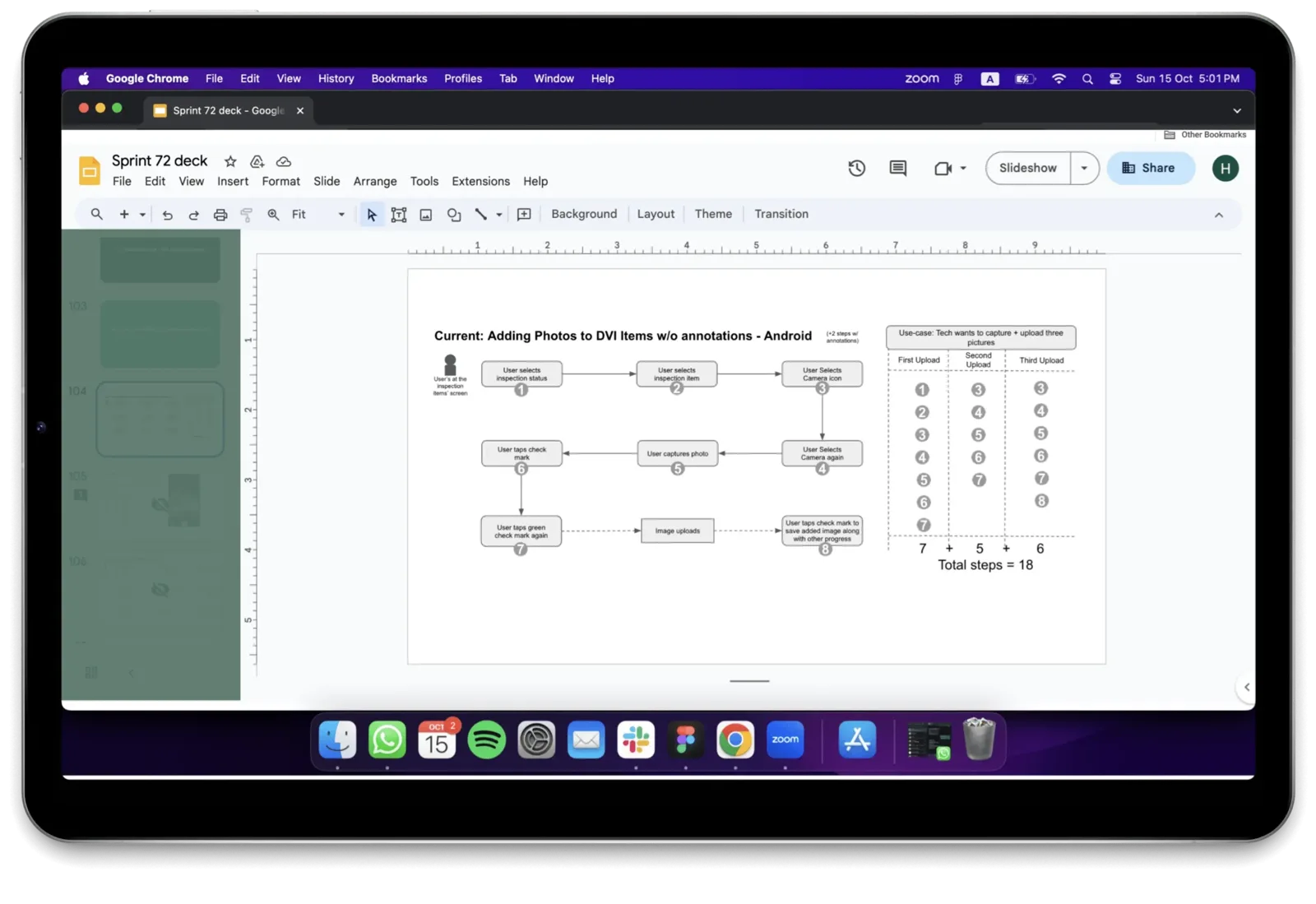
Current: adding photos to DVI items (without annotations)
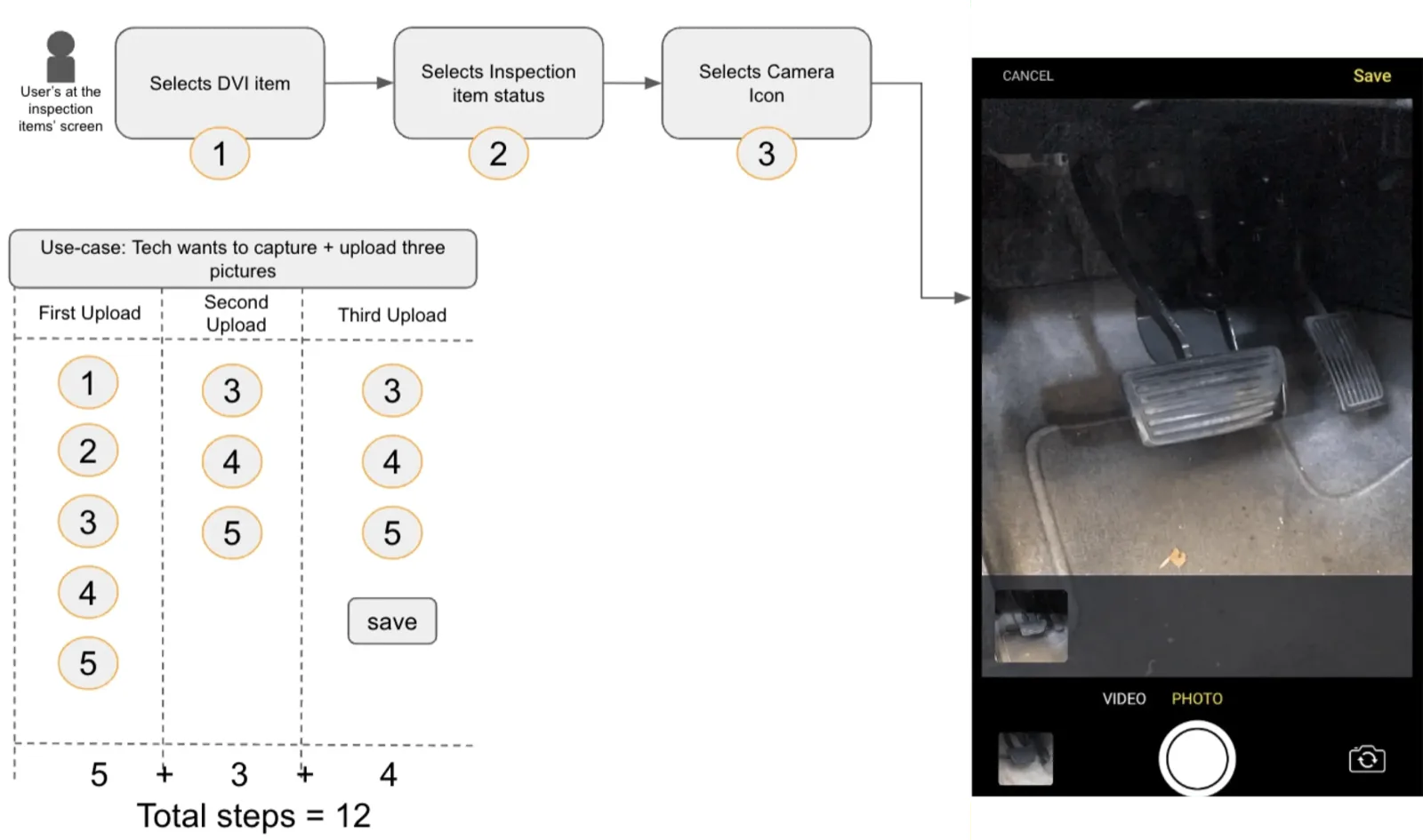
The full Digital Vehicle Inspection (DVI) process takes 18 steps for users to upload photos to inspected items.
Product requirements
- Users can select from a set of shapes (square, circle, arrow) to be added to the image for annotation.
- Upon selecting a shape, the shape is displayed on the image.
- Each selected shape has resizing handles (small draggable points) placed at the corners or edges.
- Users can save the annotated image by overwriting the original or saving as new.
- Resizing by dragging handles up and down.
Feature planning
- Fewer steps for (capturing +) adding images, videos & audio to a DVI item to save users' time and effort.
- Reduces time and effort required to attach media files to a DVI item today.
- Positive qualitative feedback from requesters through CSMs.
Proposed flow: adding photos to DVI items (without annotations)
The new workflow cuts the process to about 12 steps. It also updates the navigation components and the UI.
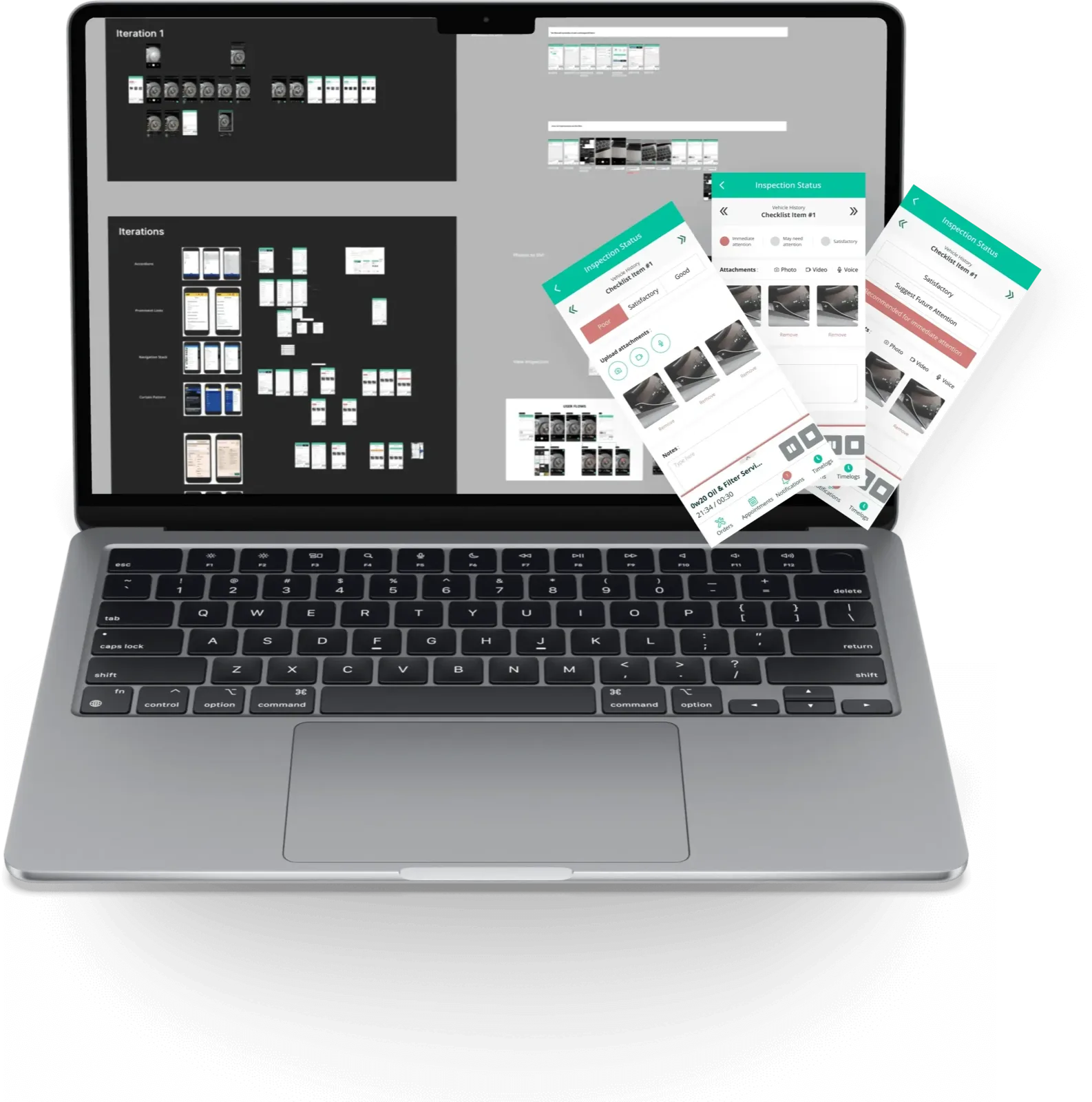
Designing an efficient DVI workflow: Figma iterations and prototyping
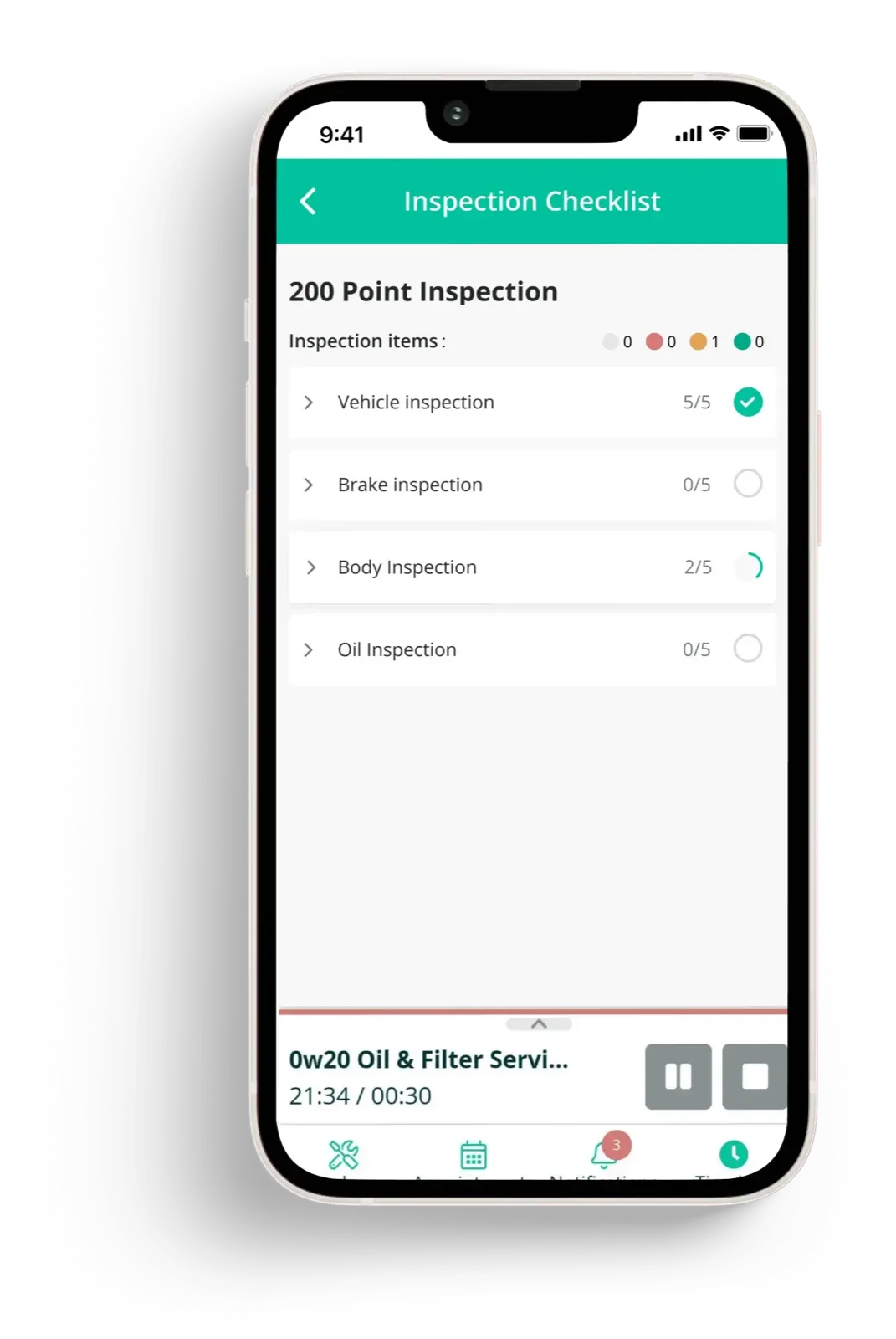
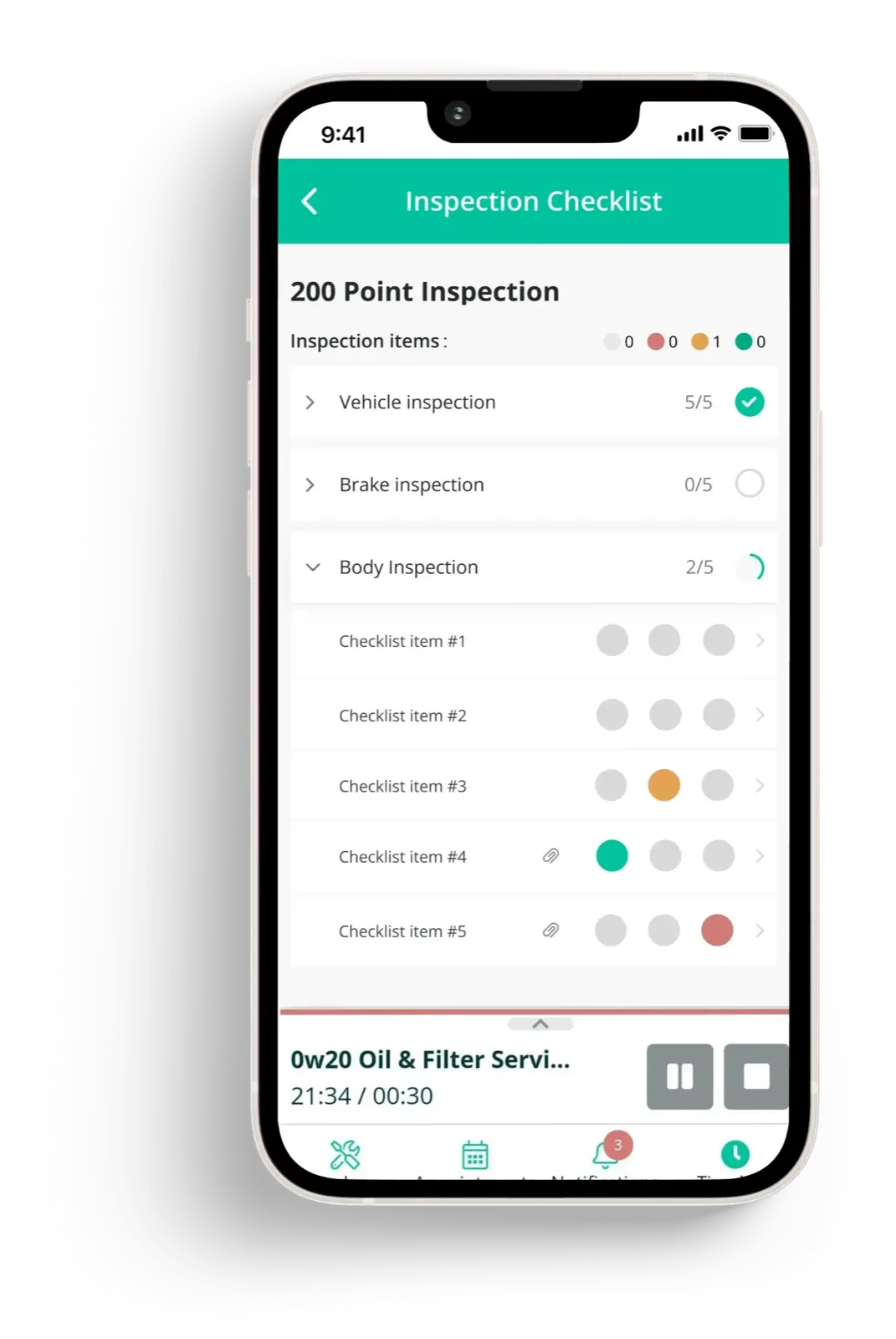
- Clear hierarchy: establish a clear hierarchy in the user interface.
- Navigation: tuning the flow so technicians can move through it quickly.
- Inspection status marking: marking inspection statuses within the DVI workflow.
- Media attachment: a simpler way to attach images and other media files.
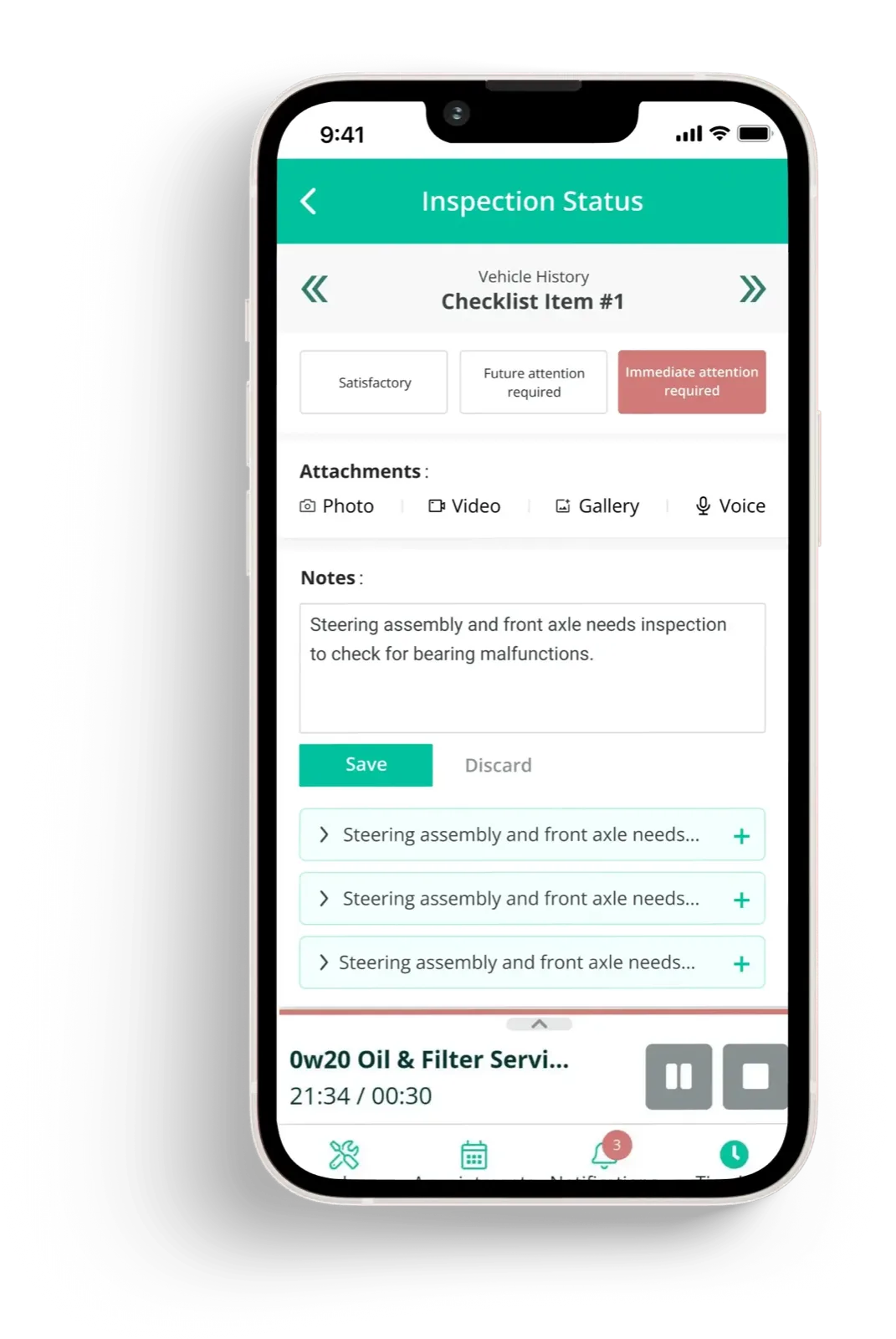
Redefining the workflows and adding annotations
- Improving the annotation feature raised one question: how should interaction inside the annotation flow work? User research pointed to a balance between guidance and flexibility.
- Further research showed that constraints on resizing helped. They give technicians room to annotate while keeping the output consistent and clear.
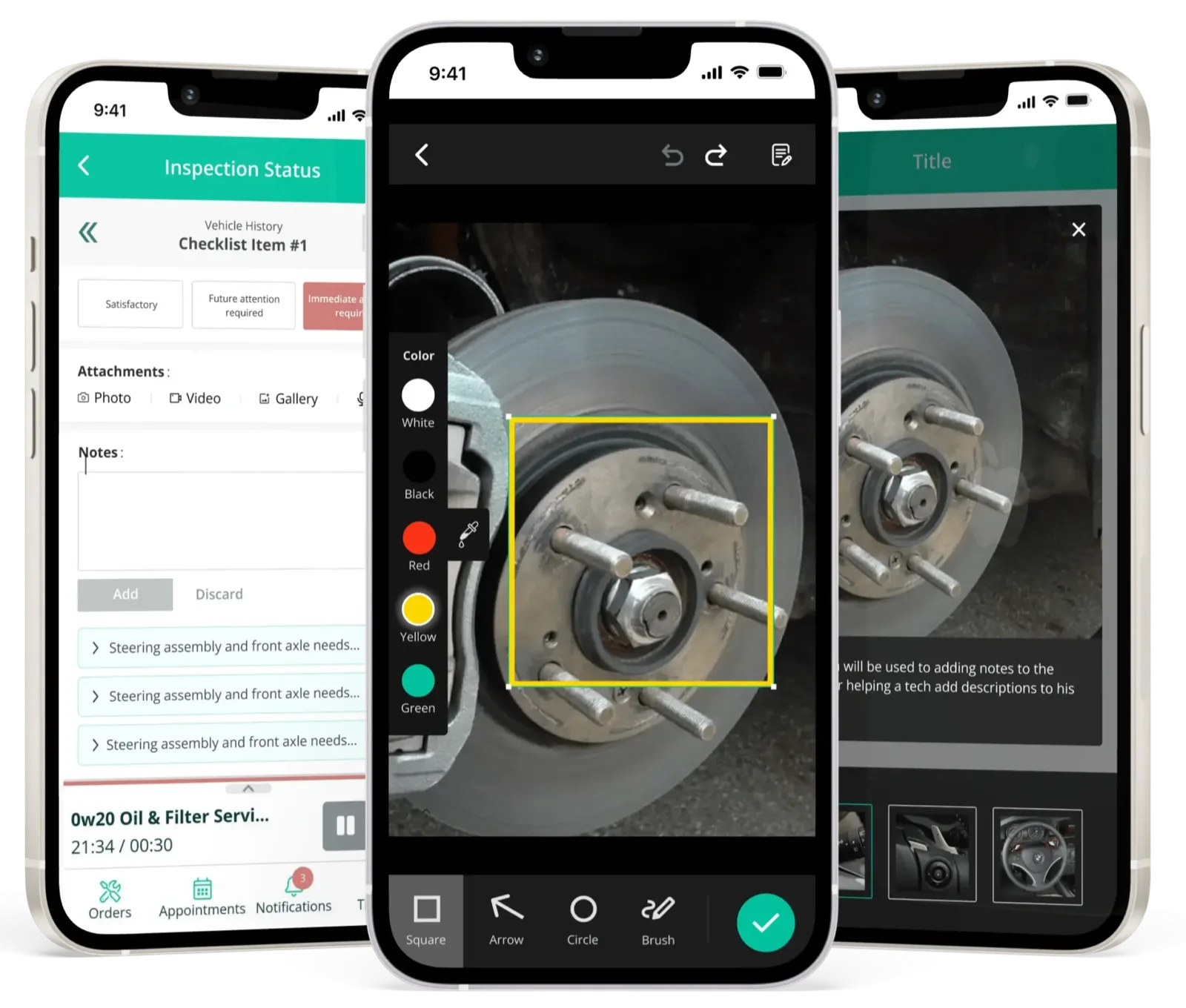
Future updates for DVI
Bulk upload and annotation: a planned feature lets users bulk upload many images and videos at once, from the gallery or captured in the app. Each image or video can be annotated, so technicians can add context and detail to inspection items.
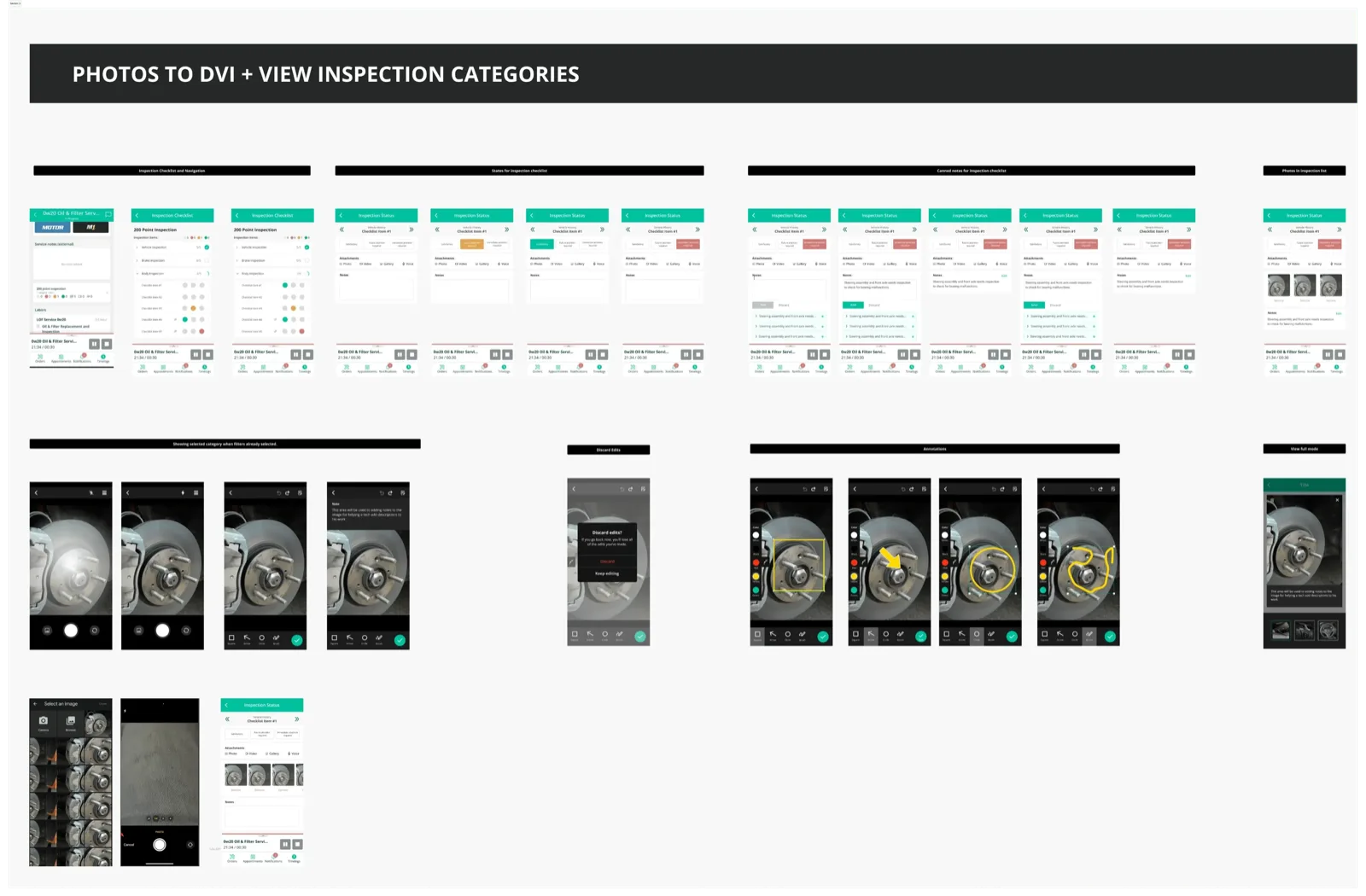
Nobody asked for a shorter upload. It came out of watching technicians abandon inspections halfway through a job. That path, from watching people work to shipped code, is the one I describe in Research → Product → Code.